 Cropped
Blog
Download
Cropped
Blog
Download
Blog /
This week in Cropped: October 24 to 30
Five releases this week. Cropped can now turn any capture into a link people comment on, with nothing to set up. The Drop Zone got simpler, a whole Studio project now fits in one file you can send, screenshots get an accessibility check before you ship them, and the Studio got out of your way. It also runs on Intel Macs.
If you already have Cropped, it updates itself. If not, the 14-day trial needs no signup or card.
#Share link, with nothing to set up
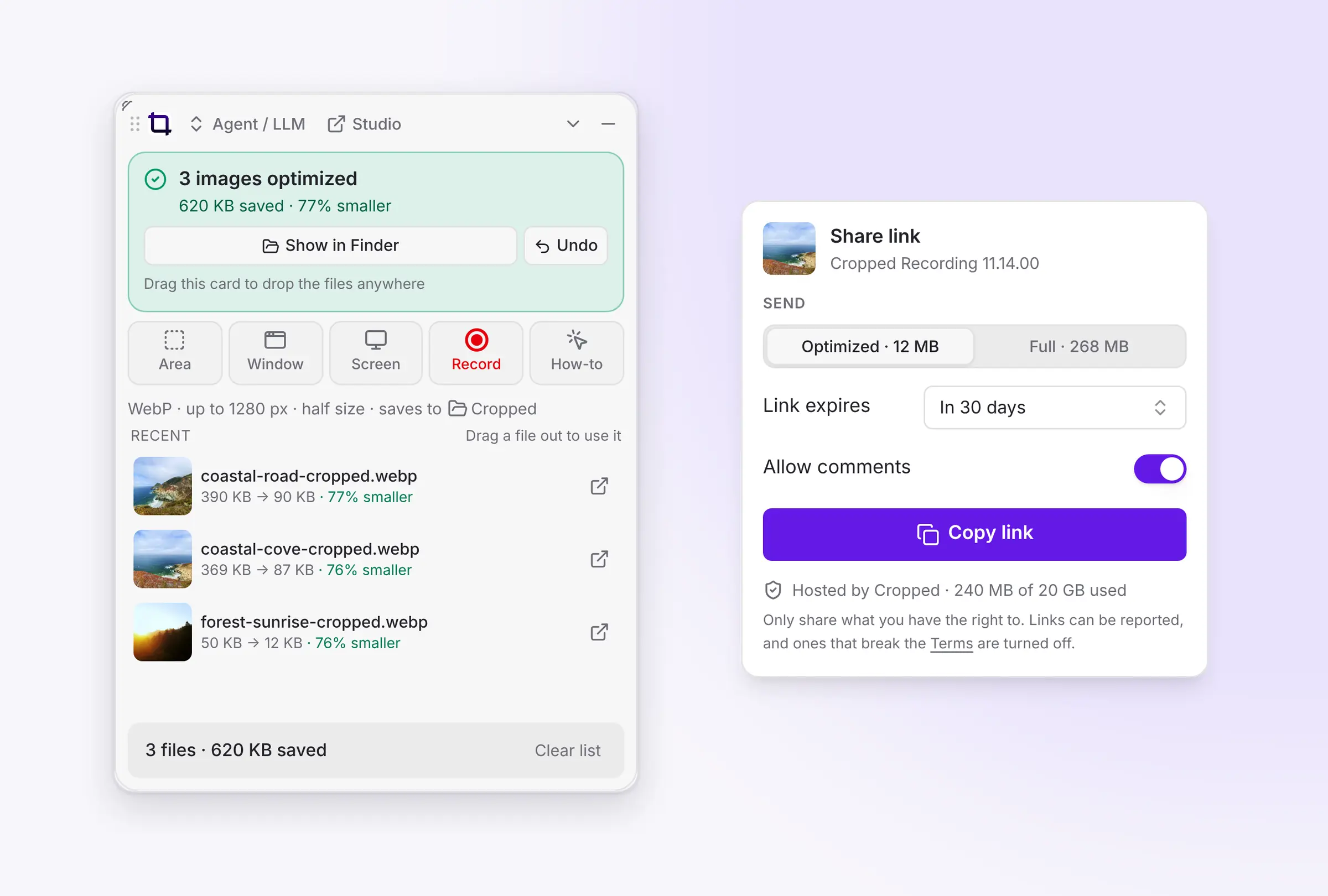
Click a capture, choose how long the link should last and whether people can comment, and click Copy link. The link is on your clipboard. Anyone can open it in a browser with no account and leave a comment, a to-do, an issue or a question on it, and you can get an email when someone does. It's the quick way to get feedback on a screenshot or a recording without attaching files to a chat.
There's nothing to set up: Pro and Platinum include Cropped storage for your shared files, with 20 GB for each person. You can send the optimized file or the full-size original, and you pick when each link expires. It works the same on Mac, Windows and Linux. Share link help has the details.
#A simpler Drop Zone
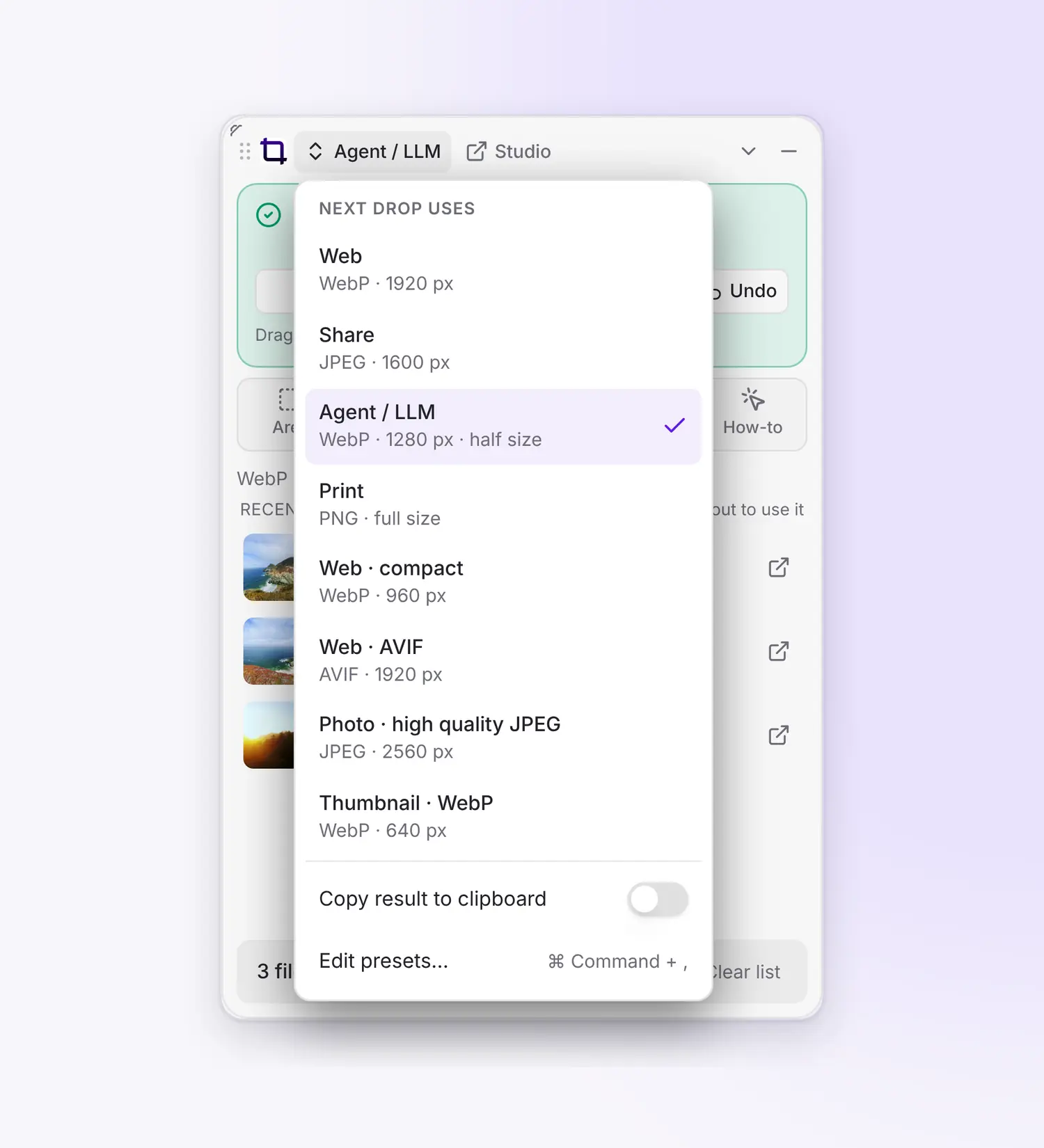
Pick the preset for your next drop from its name at the top of the Drop Zone, and a plain line underneath says what you'll get, like "WebP, up to 1280 px, saves to Cropped". The settings screen is gone, and the bottom of the list adds up how much you've saved. Selecting is easier too: click anywhere on a picture to select it, Shift-click for a range, and once something is selected, plain clicks add or remove more.
#Send a whole project as one file
Download .cropped in the Studio packs a project and all its pictures, video, music, voiceover and captions into one file. Send it to anyone with Cropped, and they open it by dropping it on the app.

#Check a screenshot for accessibility
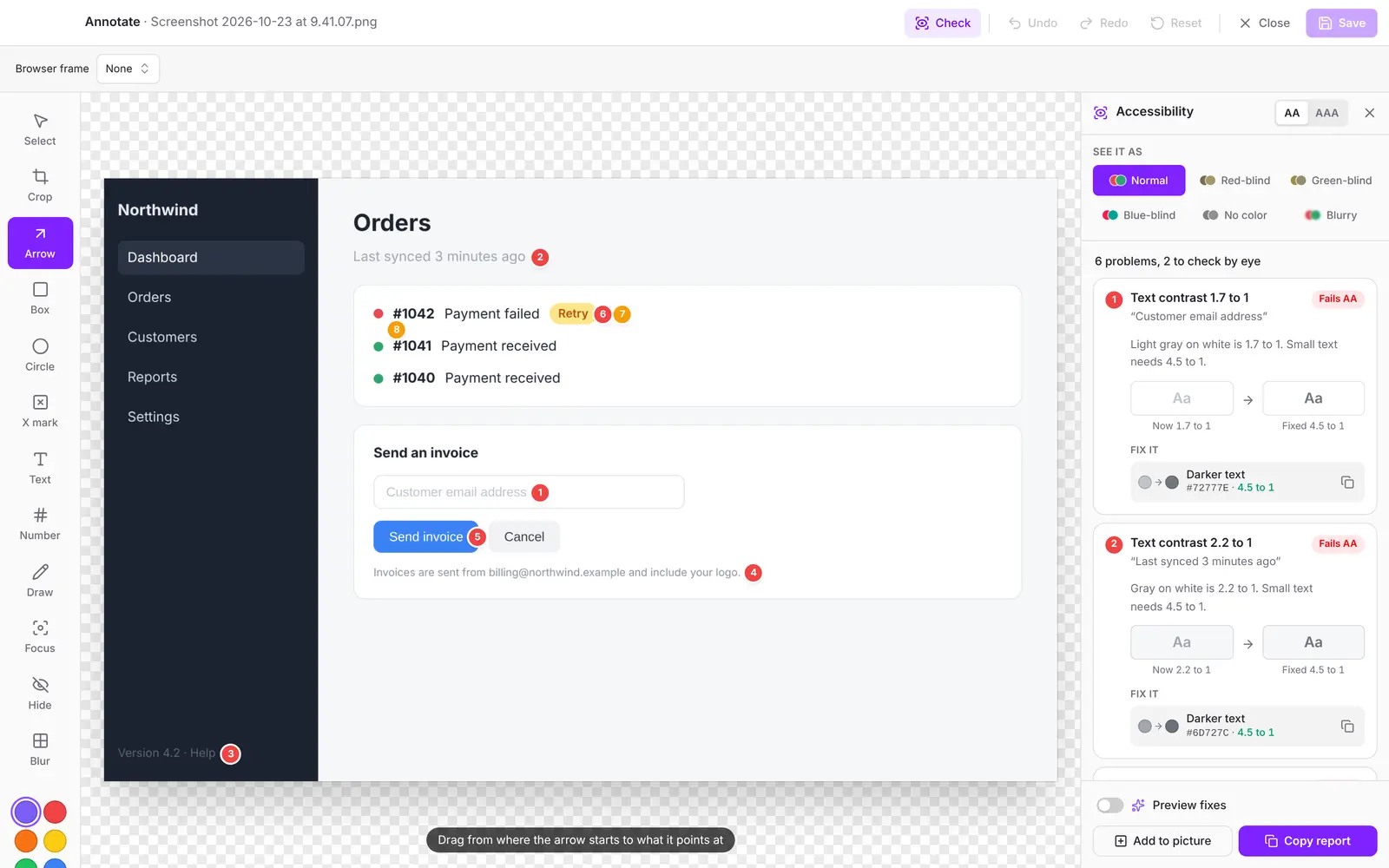
Open a screenshot in Annotate and click Check, or press K. Cropped puts a numbered pin on every piece of text that's too faint or too small, and every pair of colors people with color blindness can't tell apart. Each problem comes with colors that fix it, a darker background or a darker text, ready to copy. You can also see the screenshot the way someone with red, green or blue color blindness would.
#A cleaner Studio
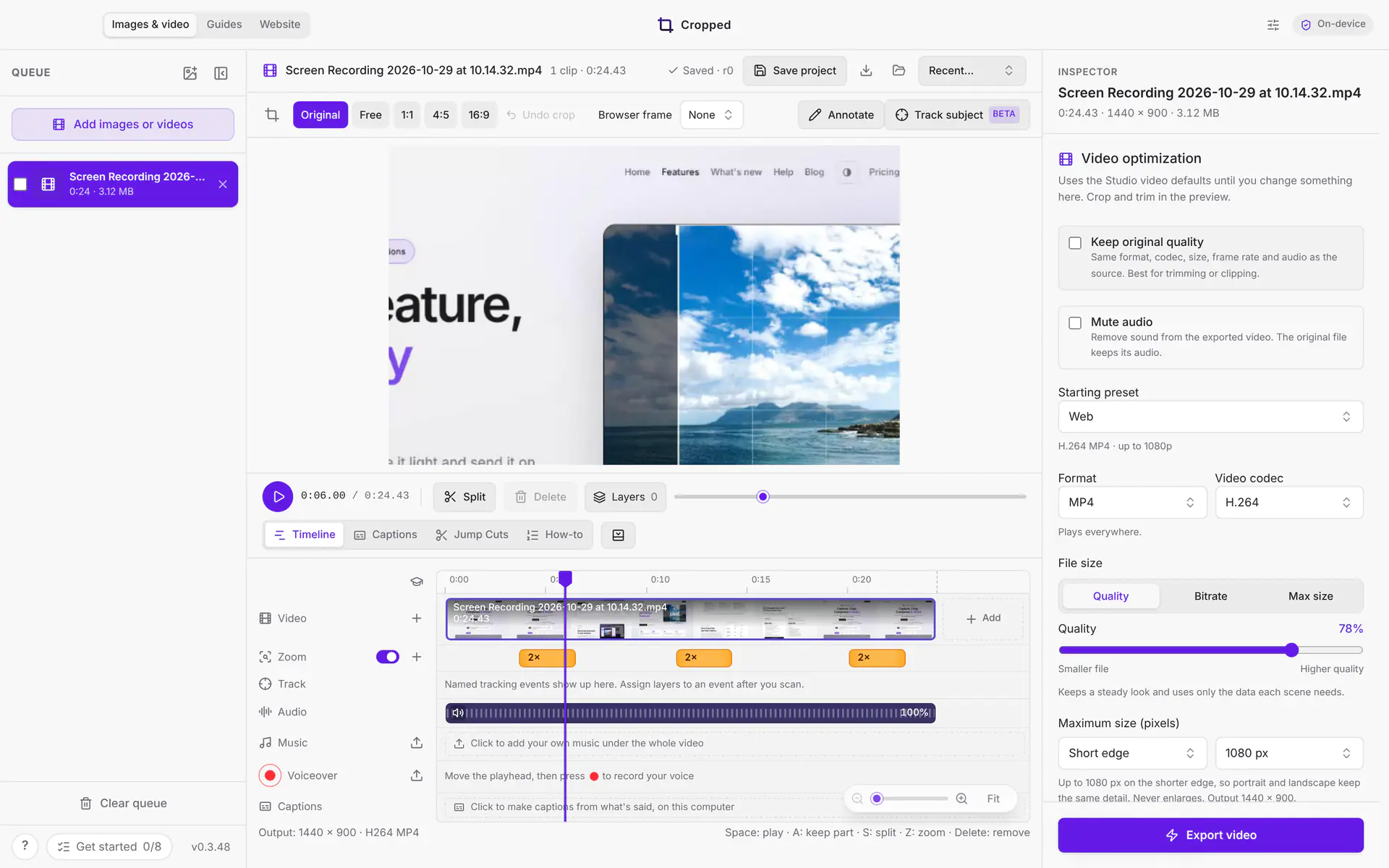
The panel on the right is now the Inspector for the file you have open. Changes there apply to that file only, and Use for all files copies them to the rest. Your defaults and app-wide settings moved to their own Preferences window (Settings on a Mac), which opens from the top bar, the menu or ⌘ Command + , (Ctrl + , on Windows and Linux).
There's one main Optimize or Export video button, and Jump Cuts and Captions open beside your video so the timeline stays in view. First launch is quieter too.
#Cropped on Intel Macs
Cropped now runs on Intel Macs with macOS 14 Sonoma or later. The download page has an Intel button right next to Apple Silicon.
#Also new this week
- Shrunk PDFs look like PDFs. They get their own document icon in the Drop Zone, and an Original link takes you to the PDF they came from.
- Long recordings stop safely. A screen recording stops at 15.5 GB, the most one recording can hold, and saves to your captures like any other. Cropped tells you when that happens.
- A clearer hint when a file won't open. If a file takes too long to open, Cropped says to close a leftover Open or Save window, which is the usual cause.
- Safer connections. Cropped refuses certificates from a certificate authority whose keys were exposed.
#On cropped.app
Cropped Core and the optional Pro add-on are now on sale. Core does the everyday work in one app, bought once, and Pro adds tools like Jump Cuts and Share link, with Cropped storage, for $24.99 a year or $3.99 a month. See Pricing. The Developers page explains both, and the help pages have fresh pictures of the new Inspector and Preferences window.
This round-up covers Cropped 0.3.45 to 0.3.49. Every change is listed on Updates.