 Cropped
Blog
Download
Cropped
Blog
Download
The Cropped Blog
Every week, what's new in Cropped: the jobs it can do now, with pictures from the app. Follow along on @croppedapp or by RSS.
-
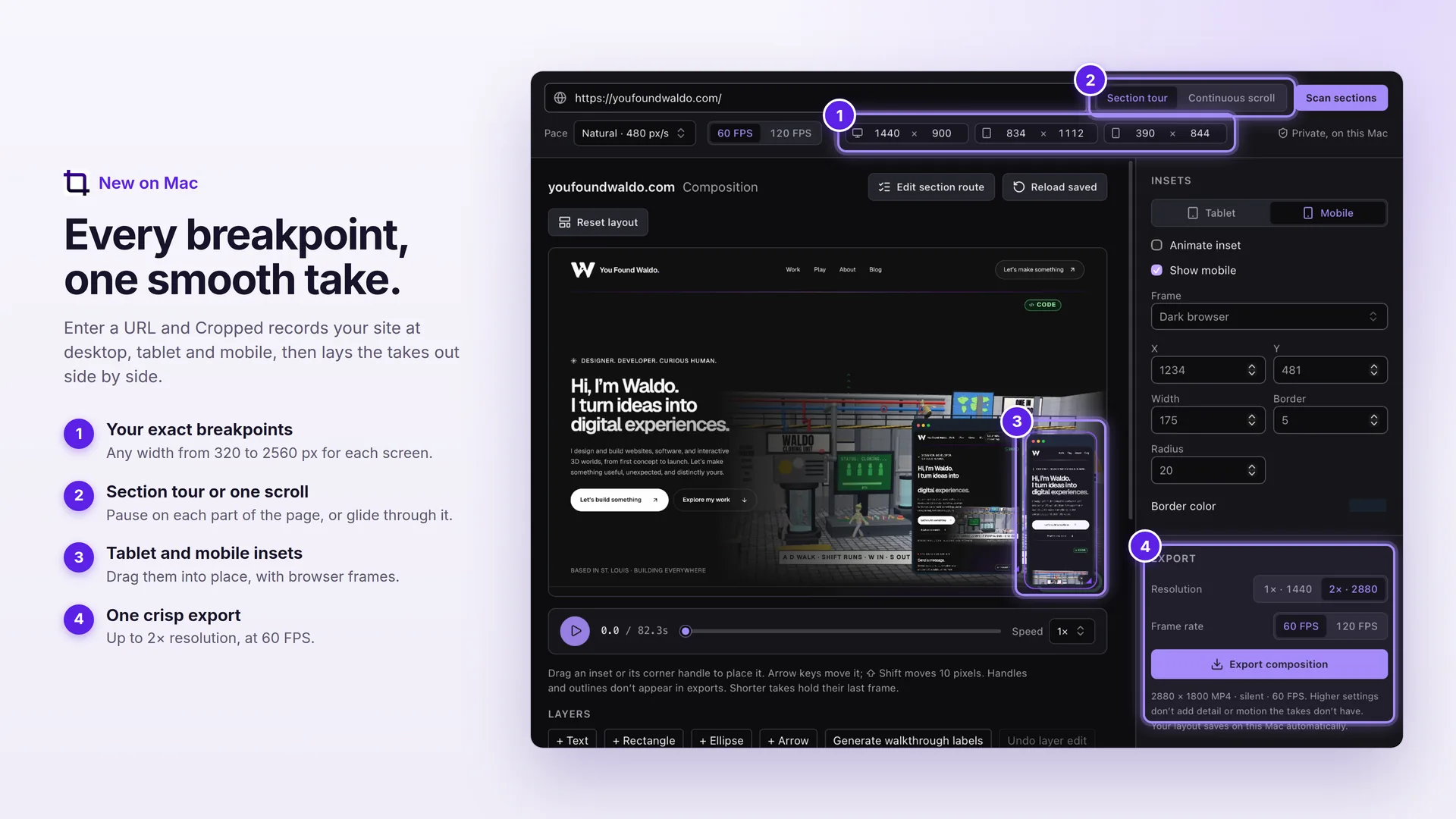 This week in Cropped: website capture everywhere, callouts on the timeline and subject tracking
Record any website at every screen size on Mac, Windows and Linux, preview every social size before you export, put callouts on the video timeline, follow a moving subject, remove backgrounds and make captions, all on your own computer.
This week in Cropped: website capture everywhere, callouts on the timeline and subject tracking
Record any website at every screen size on Mac, Windows and Linux, preview every social size before you export, put callouts on the video timeline, follow a moving subject, remove backgrounds and make captions, all on your own computer.
-
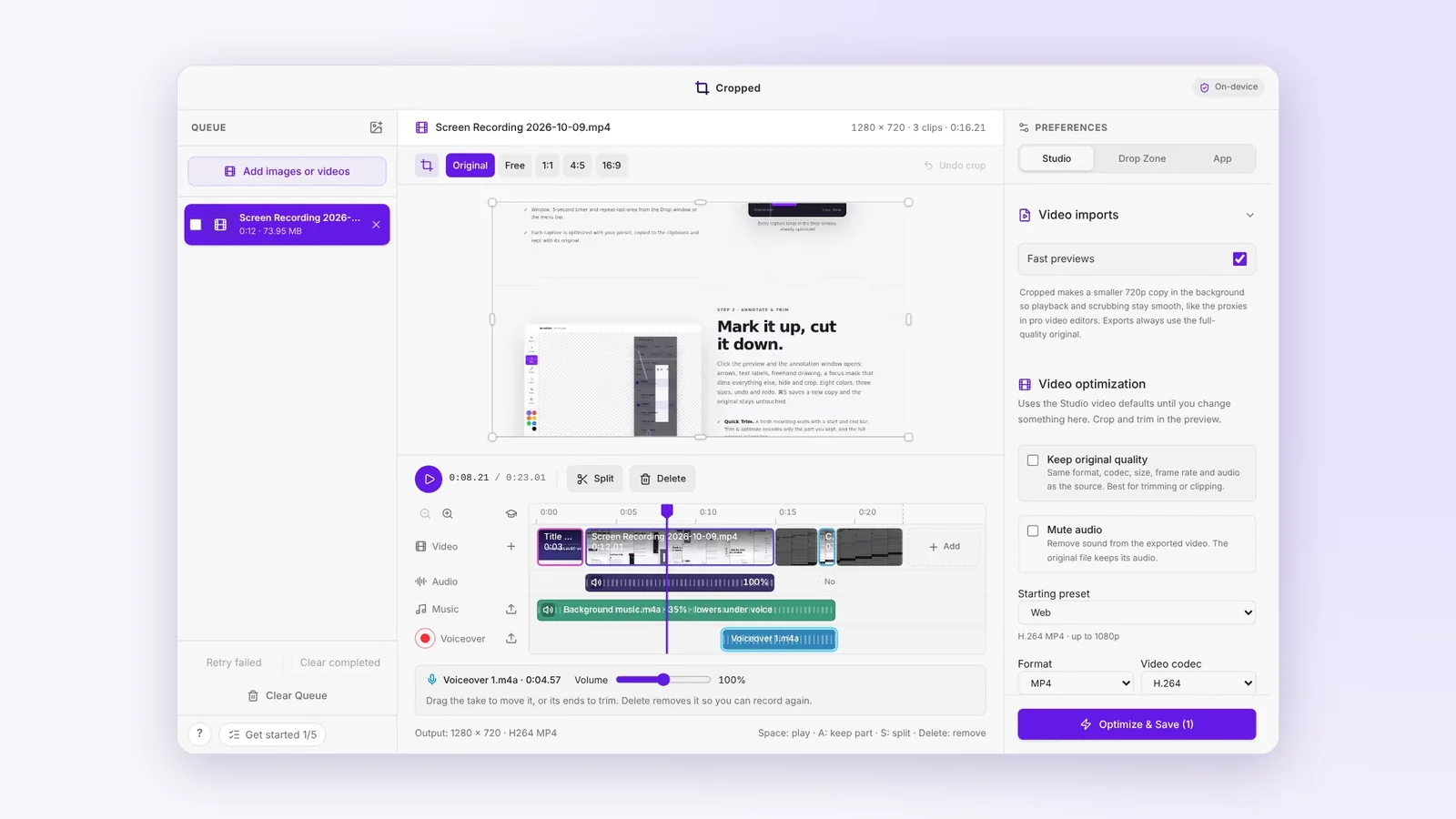 This week in Cropped: screenshots and recording on Mac, Windows and Linux, a video timeline and AI tools
Cropped learned to take screenshots and record the screen on Mac, Windows and a new Linux Beta, gained a video timeline with music and a voiceover, and opened its tools to Claude, Cursor and Codex.
This week in Cropped: screenshots and recording on Mac, Windows and Linux, a video timeline and AI tools
Cropped learned to take screenshots and record the screen on Mac, Windows and a new Linux Beta, gained a video timeline with music and a voiceover, and opened its tools to Claude, Cursor and Codex.
-
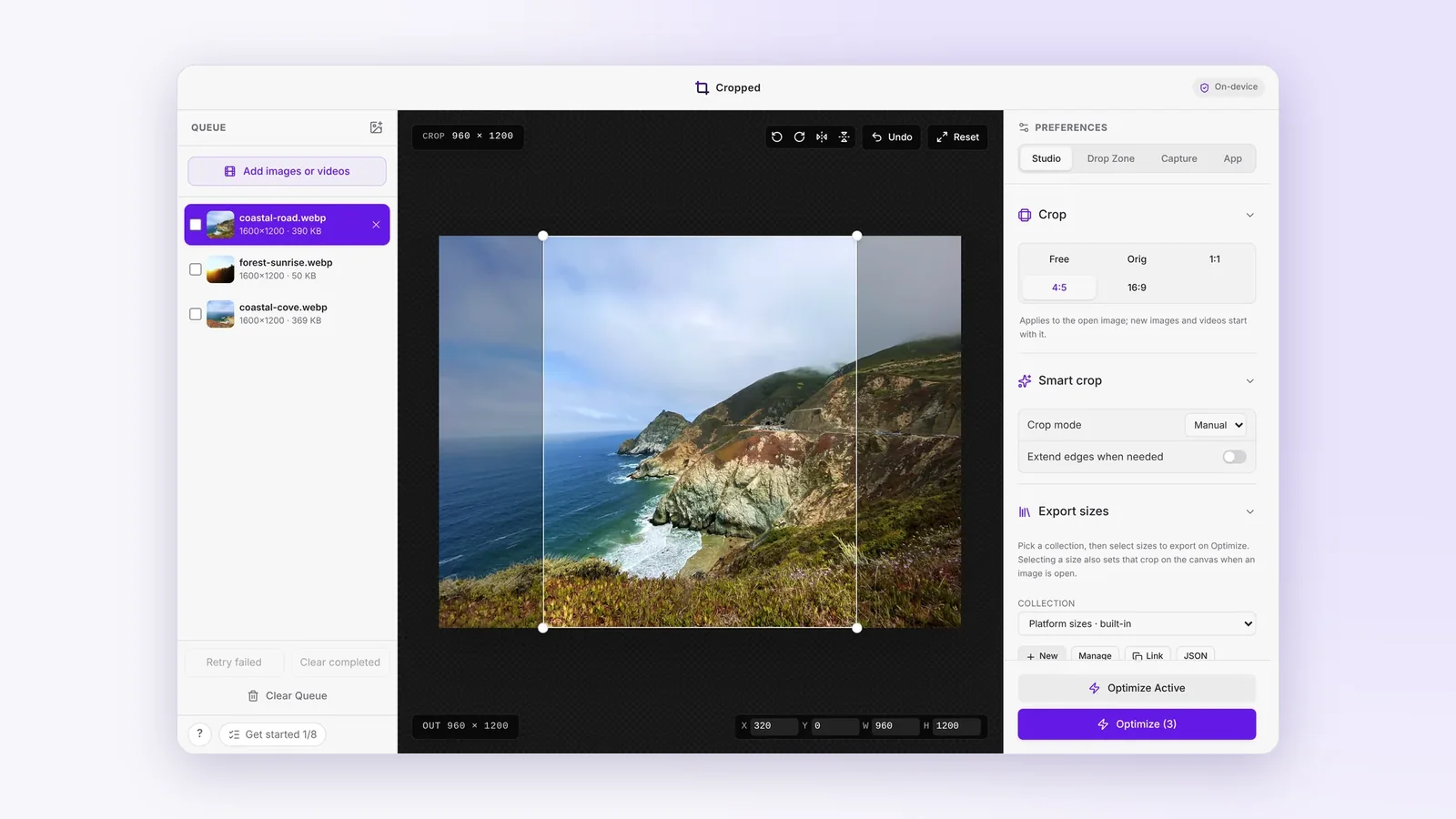 Cropped so far: from a drop window to a full Studio
How Cropped grew through September, from a window you drop images on to a Studio for images and videos with smart crop, social sizes, GIF and video presets, and a lifetime license.
Cropped so far: from a drop window to a full Studio
How Cropped grew through September, from a window you drop images on to a Studio for images and videos with smart crop, social sizes, GIF and video presets, and a lifetime license.